





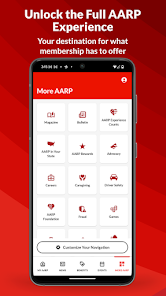



AARP Now is a mobile app created by the American Association of Retired Persons (AARP) for its members. The app provides users with a variety of features and resources to help them stay informed and engaged with the organization. It's important to note that the AARP Now app is only available for AARP members, and the features and services offered by the app are subject to change and might vary based on the users location.
AARP Now is a new app from the American Association of Retired Persons. The app is designed to help seniors stay connected and engaged with the world around them. The AARP Now app is a free mobile application that allows users to access their AARP account and manage their benefits. The app also provides exclusive discounts and deals for AARP members, as well as access to the latest news and information on aging. There are both pros and cons to the AARP Now app. On the positive side, the app is free to download and easy to use. It offers a variety of features including a news feed, videos, and articles on a variety of topics. Additionally, users can join groups, participate in discussions, and connect with other users.Features
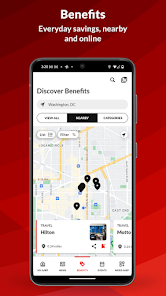
The app includes a variety of features to help users stay connected with what's going on in their community. There is a news section that includes articles from AARP's website, as well as a calendar of events. Users can also access discounts and coupons from businesses in their area.
The app also includes a directory of local resources, such as senior centers, transportation options, and medical services. This can be a valuable resource for seniors who are looking for information on how to stay active and involved in their community.
AARP Now is free to download from the App Store and is available for iPhone and iPad devices.How to use AARP Now app?
To use the AARP Now app, simply download it from the App Store or Google Play and create an account. Once you're logged in, you can start taking advantage of all the features the app has to offer. For example, you can view your account balance and benefit details, find nearby discounts, and get the latest news on aging. Plus, if you ever have any questions about using the app, you can contact customer service directly from within the app.Pros & Cons
On the downside, some users have found that the app crashes or freezes frequently. Additionally, the content is not always updated in a timely manner and some users find it difficult to navigate.

 Access exclusive discounts on travel and dining Stay updated with tailored news and events Connect with local community activities easily Enjoy personalized recommendations and resources Receive expert advice on health and wellness
 Limited access to exclusive content for non-members User interface may feel outdated and cluttered Some features require additional subscriptions or fees Not all resources tailored to individual state needs
 AARP Now may collect personal data to enhance user experience and provide personalized content, but users can review the privacy policy for detailed information on data collection and usage.
AARP Now is available for free to AARP members, providing access to various features without a trial period.
Yes, AARP Now requires an internet connection to access most of its features and content, including benefits and local activities.
You can contact AARP Now support through the app's help section or by visiting the AARP website, where you can submit feedback or reach customer service for assistance.
To manage or cancel your AARP subscription, you can visit the AARP website or contact AARP customer service for assistance with your membership details.
You can contact AARP Now customer service by calling 1-888-687-2277 or visiting the AARP website for assistance.
To log in, open the app, enter your AARP member email and password, then click "Log In."
Typically, there is no activation needed. Just download the app and log in with your AARP member credentials.
The customer service number for AARP Now is 1-888-687-2277.













 Google Play
  App Store