

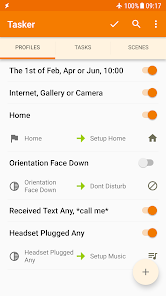
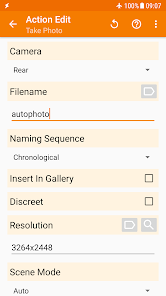
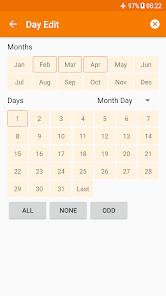
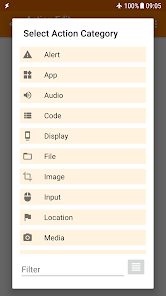
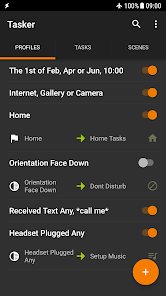
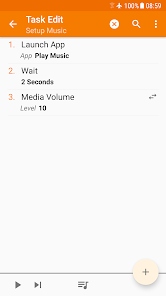
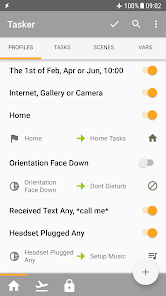
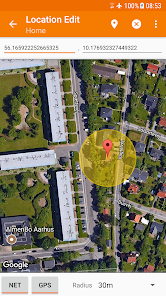
Tasker is an Android app that allows users to automate various tasks on their device. It can be used to automate almost anything, from changing settings to sending text messages. It can also be used to create custom profiles and tasks that can be triggered by certain events, such as location, time, or even a specific app being opened.
Tasker is an Android app that lets you automate your phone. You can create tasks, which are sets of actions that the app will perform when certain conditions are met. For example, you could create a task that turns on the Wi-Fi and plays music when you get to work. Assuming you're familiar with the basics of using Tasker, here are some creative ways to use the app to automate your life: There are many things to consider when it comes to using the Tasker app. On the one hand, it can be a great tool for automating tasks and making your life easier. On the other hand, there are some potential downsides to using Tasker that you should be aware of before you decide whether or not it's right for you.Features and Functions
Tasker is very versatile and can be used for all sorts of things. Here are just a few ideas:
- Automatically turn on your lights when you get home
- Get a notification when your battery is low
- Turn off your phone when you go to bed
- Send a text message when you miss a call
- And much more!
With Tasker, you can really take control of your phone and make it work for you.How to Use Tasker
1. Create a custom home screen that changes based on the time of day or your current location.
2. Use Tasker to automatically turn on your phone's WiFi when you get home, and turn it off when you leave.
3. Automatically toggle your phone's silent mode based on whether it's daytime or nighttime.
4. Set up custom alerts for specific events or notifications, like a reminder to take your medication at a certain time each day.
5. Have Tasker automatically launch a specific app when you plug in your headphones, or when you connect to a particular WiFi network.
6. Create a task that sends a text message to someone if you haven't heard from them in a while.
7. Use Tasker to keep track of how much time you spend using your phone each day, and set limits accordingly.Pros & Cons
PROS:
-Can automate a wide variety of tasks
-Can save you time and effort
-Can improve your productivity
CONS:
-May take some time to learn how to use all of its features properly
-Can be resource intensive, which may impact battery life on your device

 Tasker automates repetitive tasks effortlessly, saving you time and effort. It allows for deep customization, tailoring functions to your specific needs. Tasker supports a wide range of apps, enhancing your device's functionality. You can control device settings based on context, improving efficiency and convenience. It enables complex workflows, streamlining processes and boosting productivity.
 Steep learning curve for beginners can be intimidating and time-consuming. Limited support and documentation may hinder troubleshooting and advanced usage. Complex tasks can lead to performance issues on older devices or apps.
  Google Play
  App Store
 Yes, users can submit suggestions or feedback through the official Tasker forums or support channels, where developers actively engage with the community.
Tasker does not collect personal data from users. However, certain features may require permissions that access device data, which users can manage in the app settings.
Yes, Tasker can operate offline, allowing users to run automated tasks without an active internet connection.
Since Tasker is a one-time purchase app, there is no subscription to cancel; users retain access to the app after purchase without ongoing fees.
Tasker is available for a one-time purchase, rather than a subscription model, and the price may vary based on the app store and region.
Yes, you can recover your account by using the "Forgot Password" option on the login page.
You can reach customer service through the support section on our website or by calling the customer service number listed in your account details.
To activate your account, check your email for an activation link and follow the instructions provided.
To log in, visit the Tasker website or app, enter your email and password, then click the login button.
If you’re having trouble activating your account, check your email for the activation link or contact customer service for assistance.