



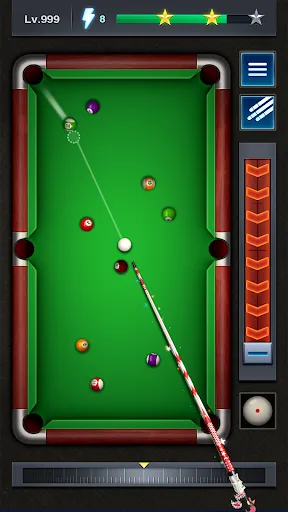
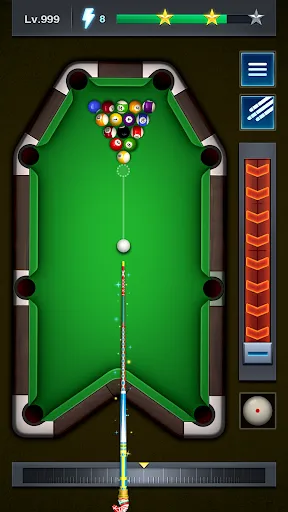
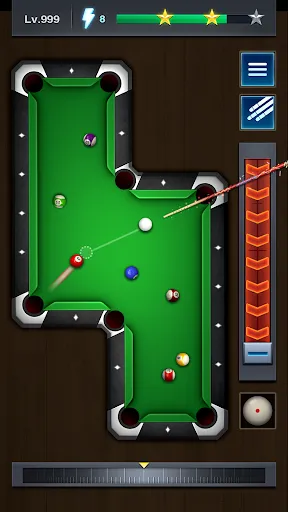
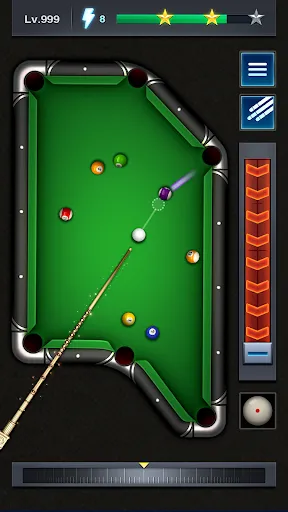
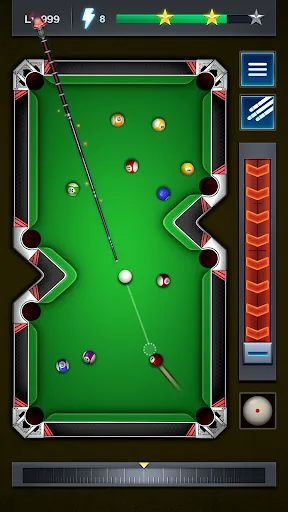


Pool Tour - Pocket Billiards offers a captivating gaming experience that combines stunning graphics with realistic physics, making it a top choice for billiards enthusiasts. Players can enjoy various game modes, including 8-ball, 9-ball, and even tournament play, catering to different skill levels and preferences. The intuitive controls allow for precise aiming and shots, enhancing the overall gameplay experience. In addition to the diverse game modes, the app features a comprehensive tutorial section that helps beginners learn the ropes. Players can also customize their cues and tables, adding a personal touch to their experience. The multiplayer functionality enables players to compete against friends or players from around the world, fostering a competitive environment. Regular updates introduce new challenges and features, ensuring that the game remains fresh and engaging. To start playing Pool Tour - Pocket Billiards, first download the game from your preferred app store and install it on your device. Once installed, launch the app and create an account or log in as a guest. The main menu will present various game modes; choose one that suits your interests, whether it's casual play or a competitive tournament. After selecting a mode, familiarize yourself with the controls. The game typically uses a drag-and-aim mechanic for shooting, where you adjust the angle and power of your shot by dragging your finger across the screen. Use the tutorial section if you’re new to the game—this will guide you through the basic rules and strategies. As you progress, you can unlock new cues and tables, enhancing your gaming experience. Don’t forget to check for any ongoing events or challenges to maximize your rewards! Pool Tour - Pocket Billiards has several pros that make it a popular choice among players. One significant advantage is its realistic physics engine, which offers an authentic billiards experience. The game’s visuals are impressive, featuring high-quality graphics that enhance immersion. The ability to play with friends or compete online adds a social aspect that many players enjoy. Regular updates keep the content fresh, introducing new cues, challenges, and modes to explore. However, the game does have its drawbacks. Some users report occasional lag during online matches, which can disrupt gameplay and lead to frustration. Additionally, while the game is free to play, there are in-app purchases that may be necessary to unlock certain features or items, which could deter some players. Lastly, the learning curve can be steep for beginners, especially when trying to master the aiming and shot power mechanics. Overall, while the game has its flaws, its engaging gameplay and features make it worth considering for billiards fans.Features of Pool Tour - Pocket Billiards
How to Use Pool Tour - Pocket Billiards?
Pros & Cons of Pool Tour - Pocket Billiards

 Experience realistic physics for authentic gameplay enjoyment Challenge yourself with diverse game modes and levels Improve your skills with detailed tutorials and practice options Compete globally with friends and players from around the world Enjoy stunning graphics and smooth animations for immersive play
 Limited gameplay options can lead to repetitive experiences Graphics may feel outdated compared to newer games In-app purchases can disrupt gameplay and create frustration
  Google Play
  App Store
 Yes, users can submit suggestions or feedback through the app's support section or via the official website, where developers welcome input from players.
Yes, the app may collect personal data to enhance user experience and provide tailored content, but it adheres to privacy regulations.
No, Pool Tour - Pocket Billiards requires an internet connection to play, as it features online multiplayer and real-time ranking systems.
You can cancel your subscription through your device's app store settings, following the instructions provided for managing subscriptions.
The subscription cost varies based on the chosen plan, typically offering monthly and yearly options at competitive prices.
Yes, you can activate your account by entering your customer number during the sign-up process. If you need help, contact customer service.
Yes, you can log in using your social media account if you linked it during registration. If you encounter issues, please contact customer service for support.
You can reach our customer service by emailing support
To update your customer number, please contact our customer service team with your existing details, and they will guide you through the process.
To log in, open the app, enter your username and password, and tap the 'Log In' button. If you have issues, check your credentials.