



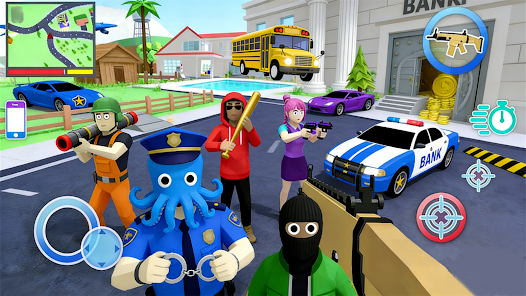


"Pix Cozy Town" is a delightful simulation game that allows players to create and manage their own charming town. One of its standout features is the extensive customization options, enabling users to design their town with a variety of buildings, decorations, and landscapes. Players can choose from a wide range of architectural styles, ensuring that each town feels unique and personal.
Another notable feature is the interactive gameplay, where players can engage with their townsfolk, complete quests, and participate in seasonal events. This adds a layer of depth to the game, as players can build relationships with characters and unlock special rewards. Additionally, the game boasts vibrant graphics and soothing soundtracks, creating an immersive experience that keeps players engaged for hours.
Furthermore, "Pix Cozy Town" includes social features that allow players to visit friends' towns, exchange gifts, and collaborate on community projects. This fosters a sense of community and encourages players to connect with others. Overall, the combination of customization, interactive gameplay, and social elements makes "Pix Cozy Town" a captivating experience for simulation game enthusiasts.
Using "Pix Cozy Town" is straightforward and enjoyable, making it accessible for players of all ages. To get started, download the app from your preferred app store and create an account. Once you launch the game, you will be greeted with a tutorial that guides you through the basics of town-building, including placing buildings, roads, and decorations.
As you progress, focus on completing quests and tasks that will help you earn resources and unlock new items. Managing your town's resources effectively is crucial; ensure you balance the construction of new buildings with the needs of your townsfolk. Engaging with the community features allows you to visit friends' towns, which can provide inspiration and additional rewards.
Regularly check for seasonal events and updates, as these often introduce new content and challenges. Participating in these events can enhance your gameplay experience and provide unique items. Overall, the key to enjoying "Pix Cozy Town" lies in exploring its features, engaging with the community, and continuously expanding your charming town.
"Pix Cozy Town" offers a variety of advantages that make it an appealing choice for simulation game fans. One of the primary pros is its engaging gameplay, which combines creativity with strategic planning. Players can express their artistic flair through town customization while also managing resources and completing quests. The vibrant graphics and soothing soundtrack enhance the overall experience, making it visually appealing and relaxing.
Another significant advantage is the social aspect of the game. Players can connect with friends, visit their towns, and collaborate on community projects, fostering a sense of camaraderie. Additionally, regular updates and seasonal events keep the game fresh and exciting, providing new content for players to explore.

 Discover your perfect home! Explore vibrant community life! Personalize your cozy spaces! Connect with friendly neighbors! Access local events and deals!
 Limited customization options Slow loading times reported Occasional bugs and glitches In-app purchases can add up
  Google Play
  App Store
 Yes, Pix Cozy Town includes social features that allow you to connect with friends, visit their towns, and share experiences. You can also participate in community events and challenges to interact with other players.
Yes, Pix Cozy Town offers in-game purchases that allow players to buy additional resources, special items, or cosmetic upgrades. These purchases are optional, and players can enjoy the game without spending money.
Yes, you can customize your avatar within Pix Cozy Town by selecting different hairstyles, clothing, and accessories. This allows you to personalize your representation in the game and express your unique style.
Pix Cozy Town requires an internet connection to access certain features, such as online events and multiplayer interactions. However, you can still play some aspects of the game offline, but your progress may not sync until you reconnect to the internet.
Yes, you can play Pix Cozy Town with friends by inviting them to join your town or visiting theirs. The game encourages social interactions and collaboration, making it a fun experience to share with others.
Yes, go to settings, select 'Account', and then update your email address.
You can reach customer service via the in-app support section or email support
Click the activation link in the confirmation email you received after signing up.
Open the app and enter your email and password in the login screen, then tap 'Log In'.
Navigate to 'Settings', then 'Payment Information', and enter your new details.