

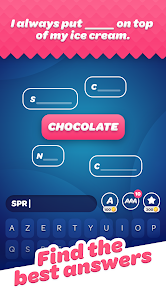
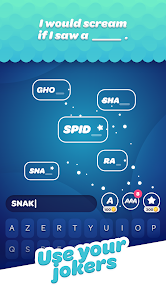
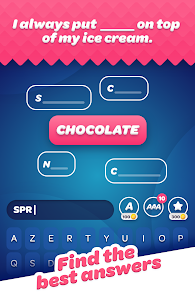


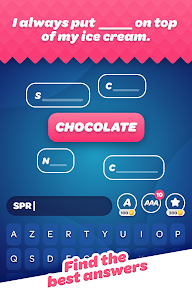

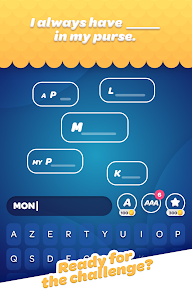
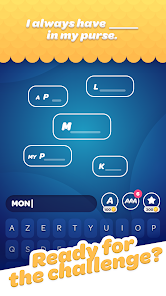
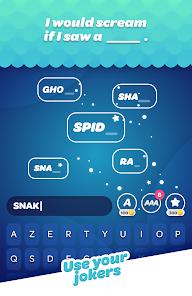
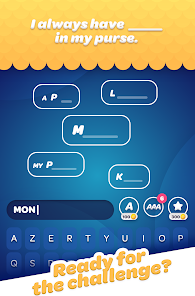
"People Say - Family Game" is an engaging party game designed to bring families and friends together for fun and laughter. One of its standout features is the variety of categories that players can choose from, including pop culture, everyday life, and quirky scenarios. This diversity ensures that there is something for everyone, making it suitable for all ages.
Another notable feature is the interactive gameplay, where players can either play in teams or individually, fostering a sense of competition and collaboration. The game encourages players to think creatively and respond quickly, as they must guess the most popular answers to various prompts. Additionally, the game includes a timer to add excitement and urgency to each round. The user-friendly interface and vibrant graphics enhance the overall experience, making it visually appealing. Lastly, "People Say" can be played both online and offline, allowing for flexibility in how and where you play, whether at home or during gatherings.
Using "People Say - Family Game" is straightforward and enjoyable. To start, gather your friends or family and decide whether you want to play in teams or as individuals. Once you have your group ready, select a category from the game menu. Each player or team takes turns answering prompts that require them to guess the most popular responses given by a survey of people.
As the game progresses, players will take turns reading the prompts aloud while others write down their answers. After everyone has written their responses, players reveal their answers, and points are awarded based on how many people gave the same answer. The game continues until a predetermined number of rounds are completed or until a team reaches a certain score. The player or team with the highest score at the end of the game is declared the winner. This simple yet engaging format makes it easy for anyone to join in and have a great time.
Like any game, "People Say - Family Game" has its advantages and disadvantages. One of the primary pros is its ability to foster social interaction and bonding among players. The game is designed to be inclusive, making it suitable for players of all ages, which is perfect for family gatherings. Additionally, the variety of categories keeps the gameplay fresh and exciting, ensuring that players remain engaged throughout.
On the downside, some users may find that the game can become repetitive after multiple plays, especially if the same group is playing frequently. Additionally, while the game is designed for fun, it may not appeal to those who prefer more strategic or competitive games. There may also be occasional technical issues, such as lag or connectivity problems when playing online. Overall, while "People Say - Family Game" offers a fun and interactive experience, potential players should consider these factors before diving in.

 Discover fun family bonding Engaging quizzes for all ages Boosts communication skills Encourages teamwork and laughter Easy to play, hard to forget
 Limited player interaction Repetitive gameplay elements In-app purchases can frustrate Ads may disrupt the fun
  Google Play
  App Store
 The game may offer optional in-app purchases for additional content, features, or customization options, but it is generally free to download and play with a sufficient amount of content available without any purchases.
Yes! People Say - Family Game often allows players to create and customize their own prompts, adding a personal touch and making the game even more engaging and tailored to your group.
While some features may require an internet connection, the core gameplay can typically be enjoyed offline. However, playing online can enhance the experience with additional content and updates.
If you encounter any bugs or issues while playing, you can typically report them through the app’s support section or contact customer support via their official website or social media channels.
The game can accommodate a wide range of players, typically from 2 to 10 players, making it ideal for family gatherings, parties, or game nights with friends. The more, the merrier!
You can reach customer service through the app's settings menu or by visiting the official website for support.
The app should activate automatically upon installation; simply open it and follow the on-screen prompts.
The customer number can typically be found in the app's settings or help section.
If you're having trouble logging in, ensure your credentials are correct and check for any app updates. You can also reset your password if needed.