







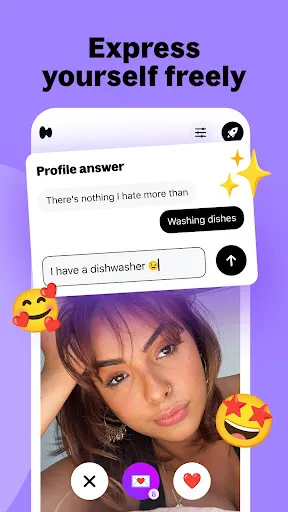
The Hily Dating app offers a variety of features designed to enhance the user experience and facilitate meaningful connections. One of its most notable features is the smart algorithm that suggests potential matches based on users' preferences, interactions, and interests. This personalized matchmaking increases the likelihood of finding compatible partners. Another interesting feature is the video chat option, enabling users to have face-to-face conversations before meeting in person. This helps in building trust and rapport, making it easier to decide if they want to pursue a relationship. Hily also incorporates a unique icebreaker feature, which suggests conversation starters based on users’ profiles, enhancing engagement and communication. For those seeking to expand their social circles, the app offers a ‘Discover’ section, where users can explore profiles beyond their immediate matches. Additionally, Hily ensures user safety with various privacy settings and verification processes, reassuring users that they are engaging with real people. These features collectively create a comprehensive dating platform that caters to various relationship preferences. Using the Hily Dating app is straightforward and user-friendly, even for those new to online dating. To get started, users need to download the app from the Google Play Store or Apple App Store. After installation, a simple sign-up process requires users to create a profile by providing basic information such as age, location, and interests. Users can also upload photos to make their profiles more appealing. Once the profile is set up, users can explore potential matches through the app's intuitive interface. The smart algorithm will suggest compatible profiles based on shared interests and preferences. Users can swipe right on profiles they like and left on those they don’t, similar to other popular dating apps. To engage with potential matches, users can send messages, utilize the icebreaker feature, or initiate a video chat for more personal interactions. Regularly updating one’s profile and actively participating in conversations can significantly enhance the chances of finding a suitable match on the platform. Overall, Hily makes the process of meeting new people both enjoyable and effective. Like any dating app, Hily has its pros and cons. On the positive side, one of Hily's standout features is its intelligent matching algorithm, which provides users with highly compatible matches based on their preferences and behavior within the app. The app also offers video chat capabilities, allowing users to connect face-to-face before meeting in person, which is particularly beneficial for establishing trust. Another advantage is the user-friendly interface that makes navigation easy for both newcomers and seasoned users. The presence of safety features, such as profile verification and privacy settings, adds an extra layer of security, making users feel more comfortable while using the app.Features of Hily Dating app: Meet & Date
How to Use Hily Dating app: Meet & Date
Pros & Cons of Hily Dating app: Meet & Date

 Connect with like-minded singles through tailored matchmaking algorithms. Enjoy video calls and chat features for genuine connections. Discover local events to meet potential matches in person. Access a user-friendly interface for seamless navigation and interaction. Benefit from robust safety features ensuring a secure dating experience.
 Limited user base may reduce matching opportunities. Frequent bugs and glitches can hinder user experience. Premium features often require costly subscriptions for full access.
  Google Play
  App Store
 Yes, users can submit suggestions or feedback through the app's support section or by contacting the customer service team via email or social media channels.
Yes, Hily Dating app: Meet & Date collects personal data to enhance user experience and improve matchmaking. Users should review the app's privacy policy for detailed information on data collection and usage.
Hily Dating app: Meet & Date primarily requires an internet connection to function, as many features rely on real-time interactions and updates. Offline use is limited.
Users can cancel their Hily Dating app: Meet & Date subscription through their account settings within the app or by managing their subscription directly through the app store from which they downloaded it.
Subscription costs for Hily Dating app: Meet & Date can vary based on location and the subscription plan chosen, typically ranging from a monthly fee to discounted rates for longer-term commitments.
Yes, you can update your email in the account settings once you log in successfully.
You can reach customer service through the app by navigating to Settings, then Help & Support.
For assistance, please use the Help & Support feature in the app to contact customer service.
To activate your account, check your email for a confirmation link and click it.
Activation is usually immediate, but it may take a few minutes to receive the confirmation email.