





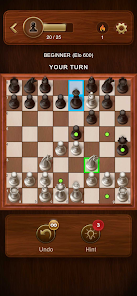
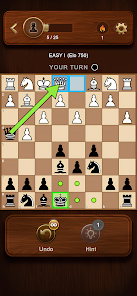
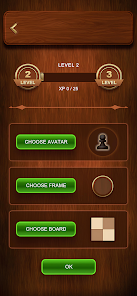
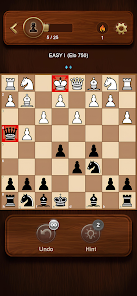
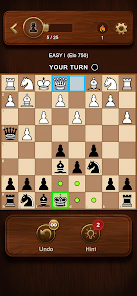
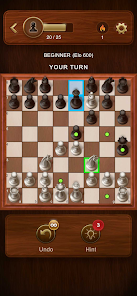
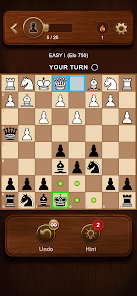


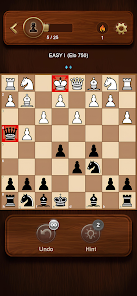
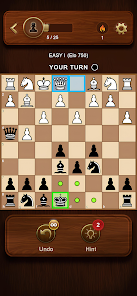
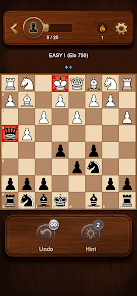


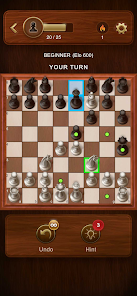

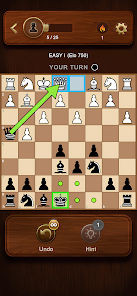
"Chess Master: Board Game" offers a variety of features that enhance the traditional chess experience. One of the standout features is its user-friendly interface, which makes it accessible for players of all skill levels. The game includes multiple difficulty levels, allowing beginners to learn the basics while providing seasoned players with challenging opponents. Additionally, the app supports both single-player and multiplayer modes, enabling users to play against AI or compete with friends online.
Another notable feature is the tutorial mode, which guides new players through the rules and strategies of chess. This is complemented by an extensive library of chess puzzles and challenges that help players improve their skills. The app also includes customizable boards and pieces, allowing users to personalize their gaming experience. Furthermore, "Chess Master" provides detailed statistics and performance tracking, enabling players to monitor their progress over time. Overall, these features combine to create an engaging and educational chess platform.
Using "Chess Master: Board Game" is straightforward and intuitive. After downloading the app, users can create an account or log in as a guest. Once in the main menu, players can choose between single-player and multiplayer modes. For single-player, selecting the difficulty level is essential, as it tailors the AI's skill to match the player's experience. In multiplayer mode, users can invite friends or join online matches with players from around the world.
The app's tutorial mode is highly recommended for beginners, as it provides step-by-step instructions on how to play chess, including piece movements and basic strategies. Players can also access various chess puzzles to practice their skills. Customization options allow users to change the appearance of the board and pieces, enhancing the visual experience. To track progress, players can view their statistics, which include win/loss ratios and game history. Overall, the app is designed to be user-friendly, making it easy for anyone to dive into the world of chess.
"Chess Master: Board Game" comes with several advantages that make it a popular choice among chess enthusiasts. One of the primary pros is its accessibility; the app is designed for players of all skill levels, making it easy for beginners to learn while still providing challenges for advanced players. The variety of game modes, including single-player and multiplayer options, allows for flexible gameplay. Additionally, the tutorial and puzzle features are excellent for skill development, helping users improve their game.
However, there are some drawbacks to consider. Some users have reported that the AI can be inconsistent, occasionally making illogical moves that may frustrate players seeking a more realistic challenge. Additionally, while the app offers customization options, some users feel that the selection is limited compared to other chess apps. Lastly, the online multiplayer experience can be affected by connectivity issues, leading to lag during matches. Overall, while "Chess Master: Board Game" has its pros and cons, it remains a solid choice for chess lovers looking for a digital platform.

 Elevate your chess skills fast! Play against AI or friends! Explore various game modes! Track your progress easily! Enjoy stunning graphics and sound!
 Limited AI difficulty levels In-app purchases can add up Occasional bugs in gameplay User interface feels cluttered
  Google Play
  App Store
 The app is free to download, but it may offer in-app purchases for additional features, such as premium chess sets or ad removal.
Yes, the app allows players to customize their chess pieces and boards, providing a personalized gaming experience.
Yes, you can play offline against AI opponents, making it convenient for playing without an internet connection.
Yes, the app offers an online multiplayer mode where you can compete against players from around the world in real-time chess matches.
Yes, the app includes tutorials and tips for beginners to help them understand the rules of chess and improve their gameplay.
You can reach Customer Service through the app's support section or visit their official website for contact details.
Activation is usually automatic after downloading. If prompted, enter the activation code sent to your email during registration.
Open the app, tap on the login option, and enter your credentials. If new, you can create an account directly from the app.
The customer number is typically available in the app's settings or help section. Check there for the most accurate information.