


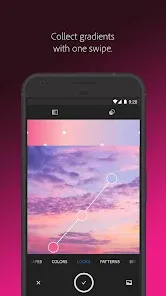
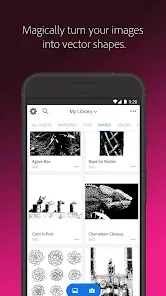
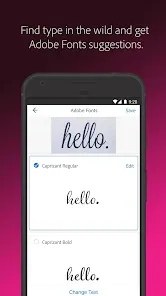
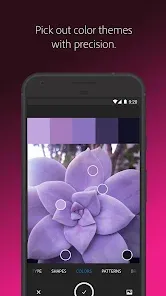
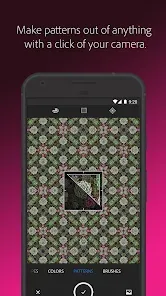
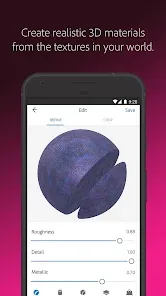
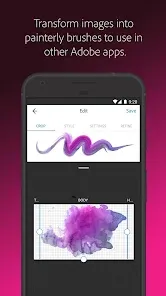
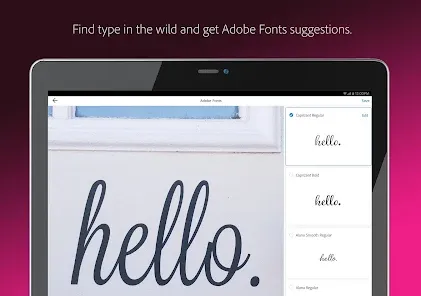
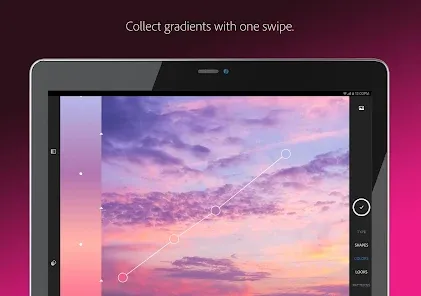
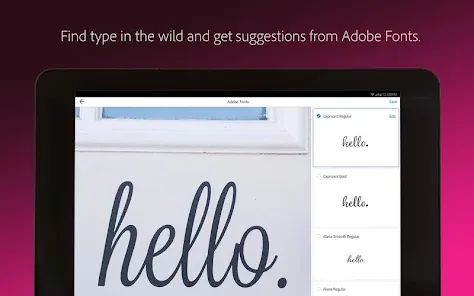
Adobe Capture is a powerful mobile app that lets you turn photos of your sketches and drawings into vector illustrations. With Capture, you can quickly and easily create digital artwork from any image, making it perfect for artists of all levels. Adobe Capture is an app that allows you to create vector illustrations, patterns, and brushes from images on your phone. Here's how to use it:Features and Functions
Capture offers a variety of features to help you create high-quality vector illustrations, including:
-Image tracing: With image tracing, you can convert bitmap images into vector graphics. This feature is perfect for turning scanned sketches or hand-drawn illustrations into digital artwork.
-Live shapes: With live shapes, you can automatically create geometric shapes from your sketch or drawing. This is great for creating clean, precise lines and shapes in your vector illustration.
-Pen tool: The pen tool lets you draw freeform paths and shapes in your vector illustration. This is perfect for creating detailed graphics or complex designs.
-Layer styles: Layer styles let you add color, gradients, shadows, and other effects to your vector illustration. This is great for giving your artwork some extra pizzazz or creating a unique style.How to Use Adobe Capture App
1.Launch the app and sign in with your Adobe ID.
2.Tap the "Create" button in the bottom bar.
3.Choose the type of asset you want to create: vector illustration, pattern, or brush.
4.Select a photo from your camera roll or take a new one.
5.Edit the image as desired, then tap "Capture."
6.Name your new asset and choose a location to save it. That's it! You can now access your new asset in Adobe Illustrator CC or Photoshop CC.

 Transform photos into vector graphics effortlessly for scalable designs. Access a vast library of customizable color themes and palettes. Create unique patterns and shapes using intuitive drawing tools. Seamlessly sync assets with Adobe Creative Cloud for easy access. Enhance productivity by converting everyday images into design elements quickly.
 Limited functionality compared to full desktop versions, restricting advanced design capabilities. Performance may lag on older devices, affecting workflow efficiency. Lacks comprehensive tutorials, making it challenging for beginners to learn effectively.
  Google Play
  App Store
 Yes, users can submit suggestions or feedback through the app's feedback option or via Adobe's support channels and community forums.
Yes, Adobe Capture: Illustrator,Ps may collect personal data, including usage statistics and device information, in accordance with Adobe's privacy policy.
Adobe Capture: Illustrator,Ps requires an internet connection for some features, but certain functionalities can be used offline once the app is downloaded and set up.
You can cancel your subscription through your Adobe account settings on the Adobe website or within the app, following the prompts to manage your subscription.
While the app itself is free, a subscription to Adobe Creative Cloud, which may include additional features and services for Adobe Capture, starts at a monthly fee that varies based on the plan chosen.
Yes, you can activate your Adobe Capture account by entering your customer number during the account setup process.
Yes, you can log in using Adobe ID linked to social media accounts. Just select the appropriate option on the login screen.
You can reach customer service through the Adobe website or by calling their support number for assistance.
You can find your customer number by logging into your Adobe account and navigating to the 'Plans & Products' section where all your subscriptions are listed.
If you haven't received an activation email, check your spam folder or log in directly on the Adobe website to activate your account.