



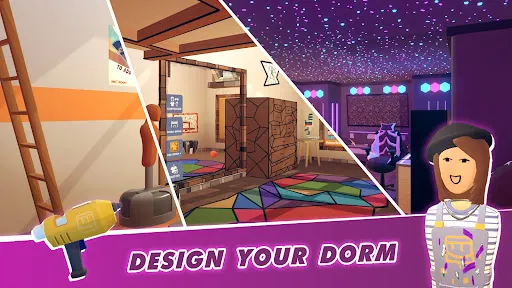






Rec Room is a versatile social platform that offers a variety of features aimed at fostering creativity and connection among users. One of its standout features is the ability to create and customize personalized avatars, allowing players to express themselves uniquely. Users can engage in a plethora of activities, ranging from playing games to participating in virtual events, which enhances the social aspect of the platform. The platform supports both VR and non-VR gameplay, making it accessible to a broader audience. Players can join different rooms or create their own, filled with unique games and interactive experiences. Rec Room also includes a robust creation suite where users can design their own games, rooms, and items, utilizing user-generated content to expand the platform's offerings. Additionally, Rec Room features multiplayer capabilities, enabling friends and newcomers alike to connect and collaborate. The platform also emphasizes safety, providing various moderation tools and features to enhance user security. With regular updates and a thriving community, Rec Room continues to evolve, offering fresh content and experiences for its users. Getting started with Rec Room is straightforward. First, users need to create an account, which can be done for free on various platforms such as VR headsets, PCs, and game consoles. After downloading the application, users can choose to customize their avatars, giving them a unique appearance to represent themselves in the virtual space. Once logged in, users can explore various rooms created by other players or join in on popular games. The user interface is intuitive, allowing newcomers to navigate through the available options easily. For those interested in creating their own content, Rec Room offers a comprehensive creation toolkit. Users can begin crafting their games or rooms by selecting the “Create” option and following the guided tutorials. To engage further, users can join clubs or communities within Rec Room, which fosters interaction and collaboration. Whether it's playing games, socializing, or creating, users are encouraged to explore the limitless possibilities the platform offers. With a focus on social interaction and creativity, Rec Room provides an enjoyable experience for all, making it a vibrant space for entertainment and collaboration. Rec Room comes with several advantages that appeal to a wide range of users. One of the primary pros is its accessibility across multiple platforms, including VR headsets, PCs, and consoles, allowing a diverse audience to engage. The emphasis on user-generated content is another significant benefit, as it fosters creativity and offers endless possibilities for gameplay and social interaction. Additionally, the platform's social features encourage community building, making it easy for users to connect with friends and meet new people. However, Rec Room is not without its downsides. One notable con is the potential for negative interactions, as the open nature of the platform can sometimes lead to harassment or inappropriate behavior. Although there are moderation tools in place, they may not always effectively prevent such incidents. Additionally, the quality of user-generated content can vary significantly, leading to experiences that may not meet the expectations of all players. Lastly, while Rec Room offers a free-to-play model, some features may require in-game purchases, which can be a drawback for users seeking a completely free experience. Overall, while Rec Room provides a unique and engaging environment, users should be aware of both its benefits and limitations to make the most of their experience.Features of Rec Room
How to Use Rec Room?
Pros & Cons of Rec Room

 Rec Room offers a vibrant social environment for meeting new friends. It provides endless creative opportunities through customizable rooms and games. The platform supports cross-play, connecting users across different devices seamlessly. Regular updates introduce fresh content and experiences, keeping gameplay exciting. User-generated content empowers players to create and share their own games.
 Limited content creation tools hinder user creativity and customization. Performance issues can disrupt gameplay and user experience. The social environment may expose users to harassment or negative interactions.
  Google Play
  App Store
 Yes, users can submit suggestions or feedback through the official Rec Room website or within the app's community forums.
Yes, Rec Room collects certain personal data to enhance user experience and for safety purposes, but they provide privacy controls for users.
Rec Room requires an internet connection to access its features and social functionalities, so offline use is not supported.
You can cancel your Rec Room subscription through the platform where you purchased it, such as the app store or the website, following their specific cancellation process.
Rec Room offers a subscription called Rec Room Plus, which provides additional features for a monthly fee, typically around $5.99, but prices may vary.
Unfortunately, customer numbers are unique and cannot be changed once assigned. Contact customer service for further assistance.
Click on the "Forgot Password?" link on the login page to reset your password via email.
To activate your account, click the activation link sent to your email after registration. If you didn’t receive it, check your spam folder.
You can reach customer service through the support page in Rec Room or by emailing support
If you can't log in, check your email for a verification link or reset your password to regain access to your account.